How a cherry becomes a cup, frame by frame.
BLOOM is a student project for COMP5415 Multimedia Design and Authoring at the University of Sydney. This page shows how each part was made, and which parts were done by hand and which had AI help.
Who made what.
Every part of BLOOM: the tools used, what Anugraha did herself, and where AI helped.
| Part | Tools | Anugraha's own work | AI assistance |
|---|---|---|---|
| Story and narration script | Written by Anugraha | The three-episode story and the narration script | AI checked that the story was doable in Blender |
| Mood board and first-draft storyboard | Pinterest and Google Images, Figma | Gathered the reference images and designed the first-draft storyboard in Figma. No reference image is used in the final work | Claude helped ideate the first-draft storyboard |
| Logo | Figma | Made the final blossom logo in Figma | Claude helped ideate it and supplied a draft vector |
| Posters (3) | Figma, Blender renders | Made the posters in Figma from her own Blender renders, and chose the frames and titles | Claude helped ideate them and supplied mock-ups and draft layered files |
| 3D modelling and animation | Blender | Built and animated everything in Blender, including the wave, keyframed in the Graph Editor | ChatGPT gave step-by-step instructions and Python scripts, and helped fix overlaps and errors |
| Video compositing | Blender compositor | Set up and explored Alpha Over composition in Scene 1 | ChatGPT gave instructions for the compositor setup |
| Narration audio | Her own voice, Canva | Recorded the voice herself, then edited and synced it in Canva | ChatGPT was used to alter the pitch of her recorded voice |
| Music and sound effects | ChatGPT, Canva | Combined the music and effects with the narration and video in Canva | ChatGPT fetched the music and effects, made with Python/NumPy synthesis, not stock recordings |
| Captions | Canva, WebVTT | Wrote the captioned words and timed each caption to her narration by hand | None |
| Website | HTML, CSS, JavaScript, Claude Code | Content, media, credits, design direction and final checks | Claude helped ideate it, drafted the code and enhanced the website through Claude Code, and assisted with the website animations: the floating cup, steam and pour, the drifting clouds, the scroll reveals, the click bee and the episode crossfade |
| Publishing | GitHub, GitHub Pages | Chose to publish the site and checked the live link | Claude pushed the code to GitHub and deployed the website on GitHub Pages |
| Presentation | Canva | Reworked and finished the slides in Canva | Claude drafted the structure and speaker notes |
| Report | Word | Her own account of the work, which the report is based on | An earlier draft was prepared with ChatGPT; the final version was rewritten with Claude |
Acknowledgements
ChatGPT Astra and Claude Opus
 ChatGPT Astra
 Claude Opus
ChatGPT gave step-by-step Blender instructions, Python scripts for the Bezier and procedural animation, guidance for the Alpha Over setup, fixes for overlaps and errors, the voice pitch change and the synthesised music and effects.
Claude helped ideate the storyboard, logo, posters and website, drafted and enhanced the website through Claude Code, assisted with the website animations (the floating cup, steam and pour, the drifting clouds, the scroll reveals, the click bee and the episode crossfade), pushed the code to GitHub and deployed it on GitHub Pages, drafted the presentation structure and speaker notes, and helped rewrite the report.
COMP5415 unit coordinator, University of Sydney
The lab practice sessions run by the unit coordinator taught the skills used to build BLOOM.
Three tools, one little film.
BLOOM was built with three main programs. FreeMoCap was also tried for the wave, but the laptop could not process the recording, so it was not used.
-

Blender
Modelling, animation and compositing
The girl, the floating islands, every prop and every keyframe were made in Blender, along with the Bezier curves, Python scripts and Alpha Over compositing.
-

Figma
Logo, posters and storyboard
The BLOOM blossom logo, the three episode posters and the first-draft storyboard were designed in Figma.
-

Canva
Editing, audio sync and subtitles
Canva was used to edit the episodes, mix the narration with the music and effects, sync them to the picture and time every subtitle by hand. The presentation was finished in Canva too.
From sketch to screen in seven steps.
Write the story Own work
Anugraha wrote the three-episode story and the narration script, gathered a mood board of reference images and designed the first-draft storyboard in Figma.
Model and animate AI-guided
Each 960-frame scene was built and keyframed in Blender, following step-by-step instructions from ChatGPT. Bezier curves and Python scripts drive the milk stream, the coffee waterfall and the girl's limb poses, and ChatGPT helped fix overlaps and errors.
Keyframe the wave Own work
A FreeMoCap motion-capture attempt kept crashing the laptop, so Anugraha keyframed the girl's wave by hand in Blender's Animation workspace and Graph Editor.
Composite the layers AI-guided
In Scene 1 the girl and the scenery render as separate layers, joined by two Alpha Over nodes in the Blender compositor. ChatGPT gave instructions for the setup.
Voice and sound AI-assisted
The narration is Anugraha's own voice, pitch-shifted with ChatGPT to sound like a storyteller. The music and effects, fetched using ChatGPT, were synthesised with Python/NumPy, not stock recordings.
Edit, caption and publish Own work
In Canva, Anugraha synced the narration, music and effects to the picture and timed every subtitle by hand. The three episodes were exported as MP4 for this site.
Build and publish the website AI-assisted
The website was enhanced with Claude through Claude Code, which also assisted with its animations: the floating cup, steam and pour, the drifting clouds, the scroll reveals, the click bee and the episode crossfade. Claude then pushed the code to GitHub and deployed the site on GitHub Pages, so it can be opened from a link.
Small film, careful details.
One poster per episode.
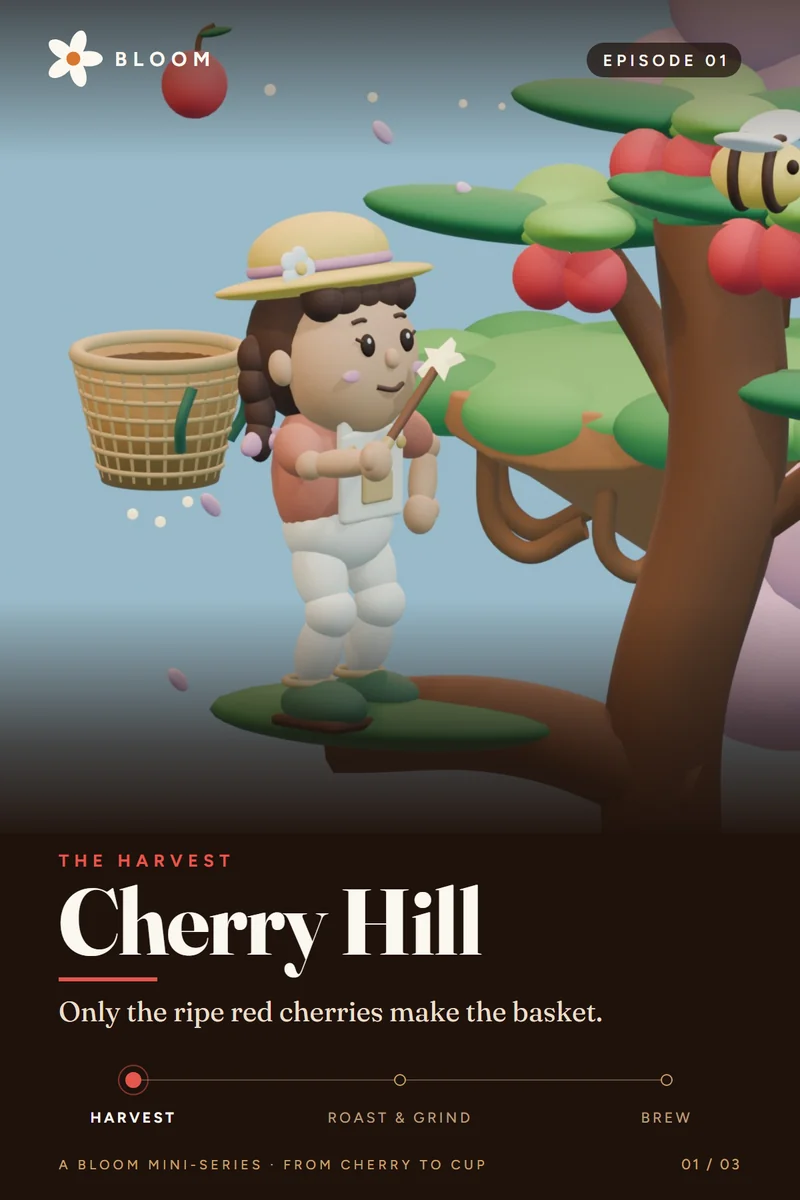
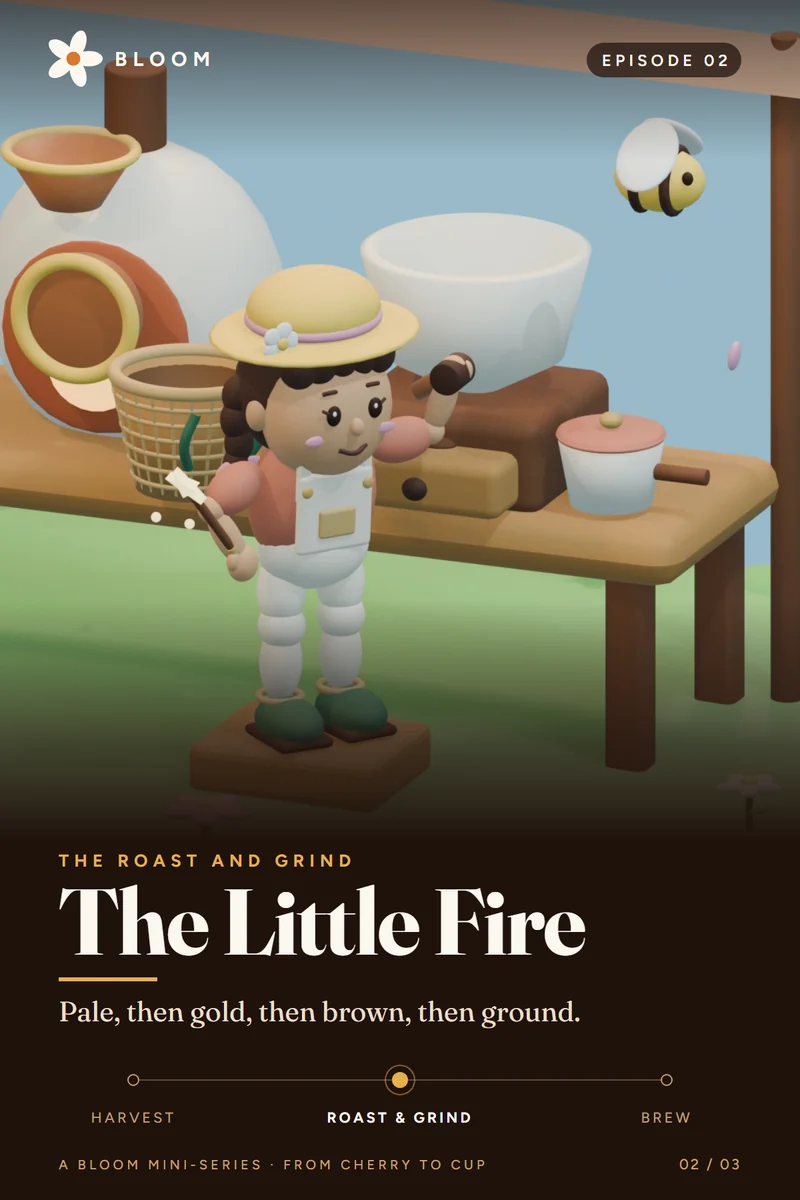
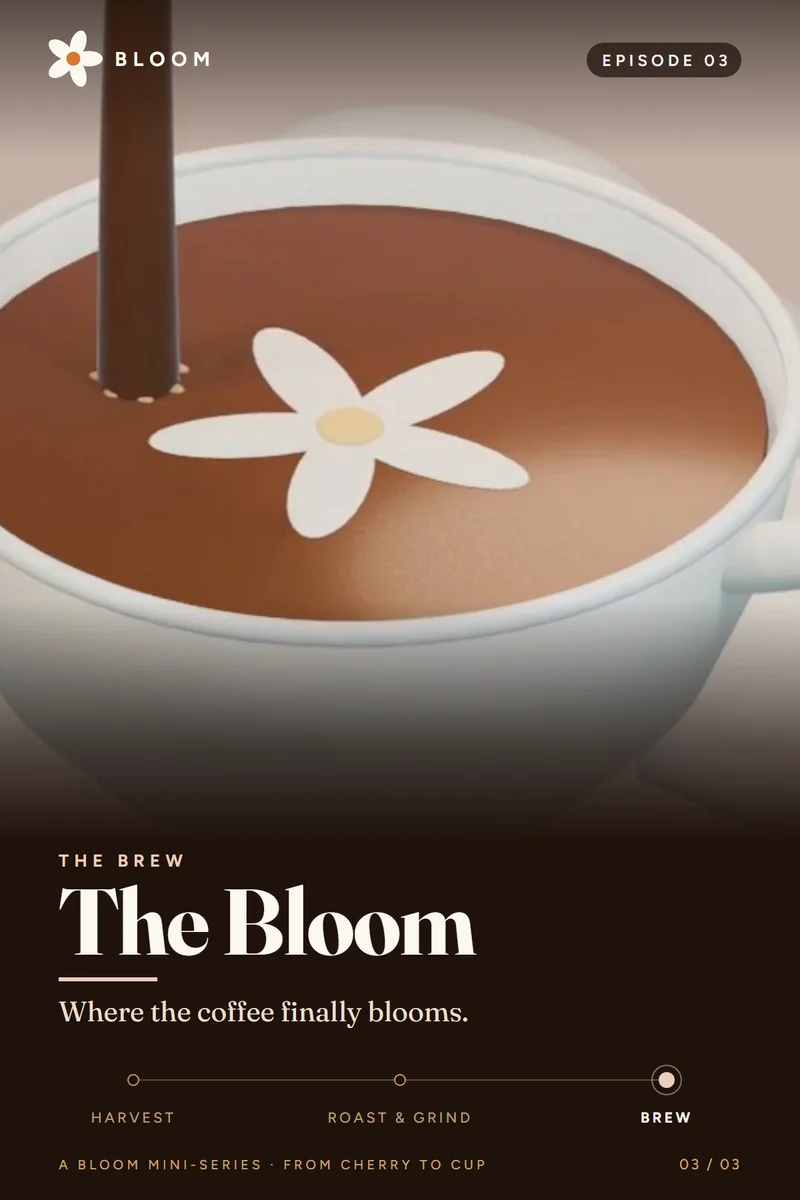
Made in Figma from Anugraha's own Blender renders. Each poster shares the same dark frame, BLOOM wordmark and journey tracker (harvest, roast and grind, brew), so the three read as one series, and each episode gets its own accent colour: cherry red, roast gold and crema cream.